

Ever stood in a long airport line, wishing for a faster way to drop off your bags? You're not alone.
Long queues can drain your energy and mood before you even take off. That's where United Bag Drop Shortcut comes in, offering a streamlined solution for travelers like you. Imagine bypassing the hassle, saving precious time, and feeling more relaxed before your flight.
With this shortcut, you can transform your airport experience from tedious to effortless. Curious about how it works and how you can benefit? Read on to discover how United Bag Drop Shortcut can enhance your travel journey.

United Bag Drop Shortcut
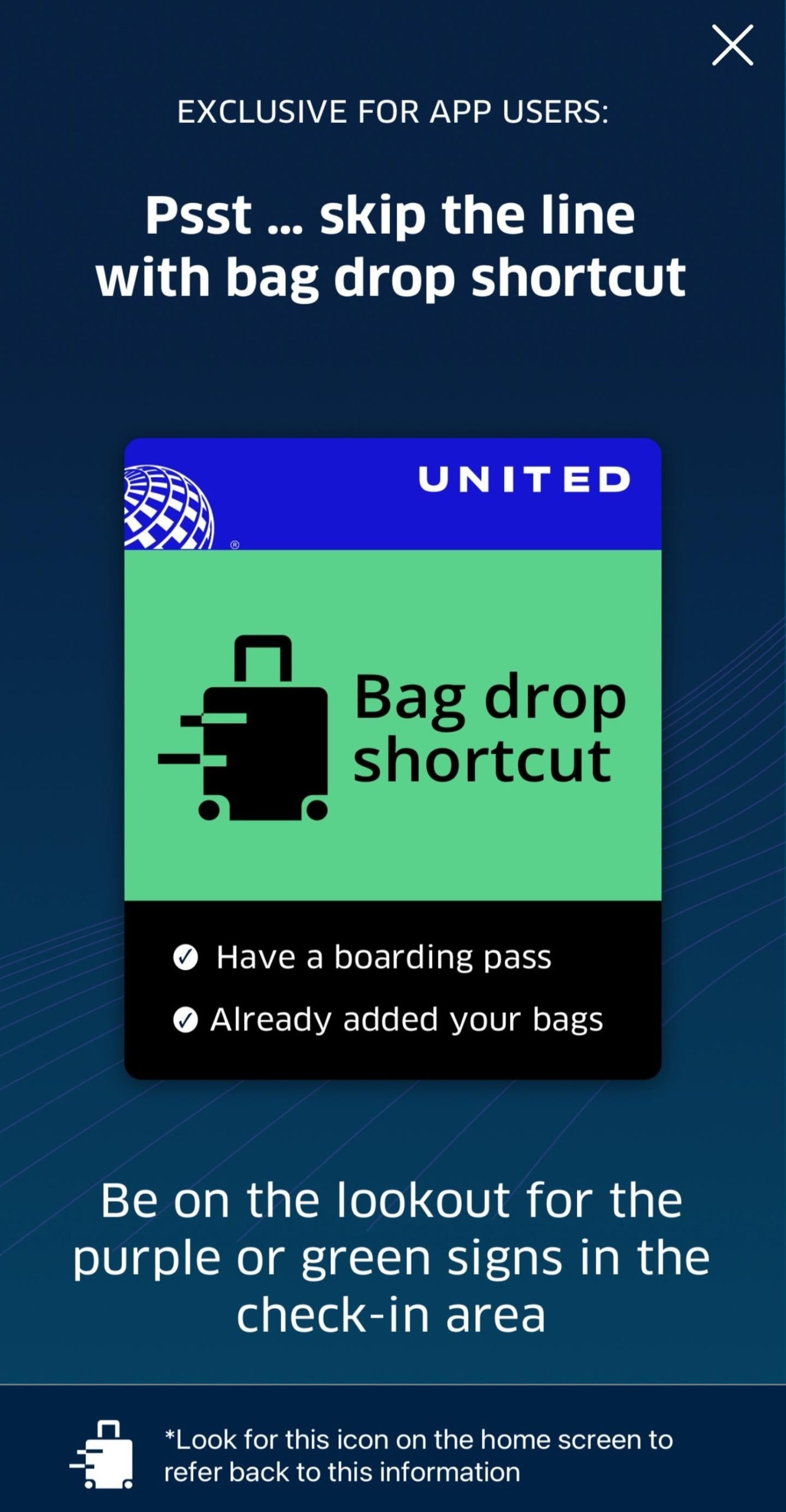
The United Bag Drop Shortcut helps travelers save time at the airport. It offers a faster way to check in and drop bags. This shortcut reduces waiting in long lines. Many passengers seek this option to simplify their travel process.
Using the United Bag Drop Shortcut means less stress and quicker boarding. It is designed for those who have already checked in online. This shortcut allows you to proceed directly to the bag drop area.
What Is The United Bag Drop Shortcut?
This shortcut is a dedicated lane at the airport. It is for passengers who have completed online check-in. You can drop your checked bags here without waiting in regular lines. It speeds up the process before security checks.
Who Can Use The United Bag Drop Shortcut?
- Passengers with online check-in completed
- Travelers with printed or mobile boarding passes
- Those with carry-on and checked baggage
Using the shortcut requires having your documents ready. It is not for passengers without pre-check-in status.
How To Access The United Bag Drop Shortcut?
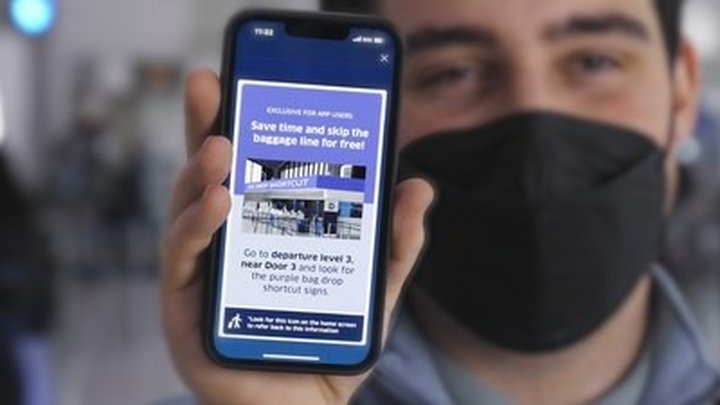
Find the special United Bag Drop area in your terminal. Look for clear signs or ask airport staff. Have your boarding pass and ID ready. Proceed directly to the bag drop counter. Staff will assist with your luggage quickly.
Benefits Of Using The United Bag Drop Shortcut
- Save time by skipping long check-in lines
- Enjoy a faster and smoother airport experience
- Reduce stress before your flight
- Get assistance quickly from United staff

Benefits Of Using The Shortcut
Using the United Bag Drop Shortcut can transform how you handle your airport experience. This handy feature saves time and reduces stress by streamlining the bag drop process. Imagine arriving at the airport and skipping long lines, allowing you more moments to relax before your flight.
Faster Check-in Process
The shortcut lets you drop your bags quickly without waiting in long queues. This means you can move through the airport more smoothly and avoid last-minute rushes. You’ll find yourself with extra time to grab a coffee or browse the shops before boarding.
Less Stress And Hassle
Traveling can be overwhelming, especially when you have to juggle bags and tickets. Using this shortcut reduces that pressure by simplifying your tasks. You’ll feel more in control and less anxious about missing your flight.
More Time For Yourself
Think about what you could do with an extra 10 or 15 minutes at the airport. The shortcut frees up your schedule for important things like checking emails, chatting with family, or just sitting down comfortably. This small change can improve your overall travel experience significantly.
Improved Airport Efficiency
When more travelers use the shortcut, it helps airports manage crowds better. This means smoother operations and fewer delays for everyone. Your decision to use the shortcut actually contributes to a better experience for all passengers.
Easy To Use With Minimal Setup
You don’t need to be tech-savvy to use the United Bag Drop Shortcut. It often requires just a few clicks or scans, making it accessible for all travelers. This ease of use encourages more people to take advantage of the convenience.
Eligibility Criteria
Understanding the eligibility criteria for the United Bag Drop Shortcut is key to making the most of this convenient travel option. Not everyone qualifies, so knowing if you meet the requirements saves you time and hassle at the airport.
Think about your last trip and how much time you spent waiting to drop off your bags. What if you could skip most of that? The eligibility rules are designed to keep the process smooth and secure for both travelers and airlines.
Who Can Use The United Bag Drop Shortcut?
- Passengers with a United Airlines ticket for a domestic or international flight
- Travelers who have already checked in online or via the United app
- Those carrying checked baggage that meets size and weight limits
- Individuals who have no outstanding payment issues or travel restrictions
If you meet these points, you’re closer to a quicker bag drop. But what about travelers with special needs or additional services?
Restrictions And Exceptions
- Passengers traveling with pets or oversized items usually cannot use the shortcut
- Those requiring special assistance may need to use regular check-in counters
- Travelers holding certain types of tickets, like codeshare flights, might face limitations
These rules might feel limiting, but they ensure safety and efficiency. Have you ever been stuck in a long line because someone needed extra help? This system tries to prevent that for everyone.
How To Confirm Your Eligibility
Before you head to the airport, check your ticket details and baggage allowances. United’s website and app provide clear information on eligibility for the shortcut.
Sometimes, eligibility can vary based on your departure airport or destination. It helps to double-check so you don’t get caught off guard at the bag drop.
Imagine arriving early and breezing through bag drop while others wait—knowing your eligibility can make that happen. How often do you prepare this much before a flight?
Step-by-step Guide
The United Bag Drop Shortcut makes checking bags quick and easy. Follow this guide to use the service smoothly. Each part helps save time and avoid lines.
Before You Arrive
Check in online using the United app or website. Have your boarding pass ready on your phone or printed. Make sure your bag meets the airline’s size and weight rules. Attach any required tags if you printed them at home. Pack your bag properly to avoid delays at drop-off.
At The Airport
Head to the United Bag Drop area after security. Look for signs pointing to the self-service kiosks. Keep your boarding pass and ID handy. Find a kiosk with a short line or no wait. Stay calm and follow on-screen instructions carefully.
Using The Kiosk
- Scan your boarding pass or enter your confirmation number.
- Confirm your flight details and bag count.
- Print bag tags if needed or confirm pre-printed tags.
- Attach tags securely to your bags.
- Follow kiosk prompts to complete the check-in process.
Dropping Your Bag
Take your tagged bag to the bag drop counter or designated area. Place your bag on the conveyor belt if instructed. Wait for the staff or machine to confirm your bag is accepted. Keep your receipt or confirmation for tracking your bag. Move away quickly to keep the line moving.
Tips To Maximize Efficiency
Efficiency saves time and reduces stress at the airport. Using the United Bag Drop Shortcut can speed up your check-in process. Follow these tips to make your bag drop smooth and fast.
Prepare Your Documents In Advance
Keep your boarding pass and ID ready before you approach the bag drop. Have these in your hand to avoid delays. This simple step helps you move quickly through the line.
Pack Smart And Follow Weight Limits
Weigh your bags at home to avoid surprises at the airport. Pack only what you need and keep your luggage within the allowed weight. This prevents extra fees and saves time during bag check.
Use The Mobile App For Check-in
Check in using the United Airlines app before you arrive. This lets you skip the counter and head straight to the bag drop. The app also gives you updates on your flight and gate.
Choose Off-peak Hours To Travel
Bag drop lines are shorter during early mornings or late evenings. Plan your arrival at the airport during these times. Less waiting means more time to relax before your flight.
Follow Airport Staff Instructions
Listen carefully to airport staff and follow their directions. They guide you to the fastest lines and help with any questions. Cooperation speeds up the entire process for everyone.
Common Issues And Solutions
Using the United Bag Drop Shortcut can save time, but some issues may arise. Understanding common problems helps travelers fix them quickly. This section highlights typical challenges and clear solutions.
Technical Glitches With The Bag Drop Kiosk
Sometimes, the kiosk may freeze or not respond. Restart the machine if possible. Check your internet connection, as it can affect the system. Clear the screen by tapping 'Cancel' and start again. If problems continue, seek help from airport staff nearby.
Problems Scanning Your Boarding Pass
Errors scanning a boarding pass are common. Ensure the barcode is clean and not damaged. Hold your phone or paper steady in front of the scanner. Try adjusting the angle or brightness if using a phone screen. Print a physical boarding pass if scanning fails repeatedly.
Issues Printing Bag Tags
Sometimes, bag tags don’t print properly. Check if the printer has paper and ink. Make sure the tag is fully inserted in the slot. Wait a few seconds for the printer to finish. If the tag is missing or smudged, ask for assistance at the counter.
Difficulty Attaching Bag Tags
Attaching bag tags can be tricky for some users. Use the provided fastener or loop to secure the tag. Avoid placing the tag where it can fall off easily. Double-check the tag is firmly attached before dropping the bag. Ask for help if unsure about attachment.
Unexpected Charges Or Weight Errors
The system may show weight errors or extra fees. Remove heavy items from your bag and weigh again. Confirm that your bag meets airline size and weight limits. Weigh your bag on a separate scale if needed. Contact airline staff for clarification on charges.
Comparing With Traditional Bag Drop
United Bag Drop Shortcut offers a faster way to check in bags. It changes the usual airport routine for travelers. Comparing it with traditional bag drop helps understand its benefits and differences.
Traditional bag drop often means waiting in long lines. Passengers must stand in queues and show their documents. This process can take a lot of time, especially in busy airports.
The United Bag Drop Shortcut allows travelers to skip some of these steps. It uses technology to speed up the bag check process. This method can save time and reduce stress at the airport.
Time Efficiency
- Traditional bag drop can take 20 to 40 minutes or more.
- United Bag Drop Shortcut usually takes less than 10 minutes.
- Less waiting means more time for other airport activities.
Process Simplicity
- Traditional drop involves manual check-in at the counter.
- Shortcut uses self-service kiosks and automated bag tags.
- Travelers handle most steps themselves, reducing staff interaction.
Queue Management
- Traditional bag drop lines often grow long during peak hours.
- Shortcut helps spread out passengers, easing congestion.
- Less crowding improves the overall airport experience.
Technology Use
- Traditional method relies mainly on staff and manual checks.
- Shortcut uses scanners, printers, and mobile apps for faster service.
- Technology reduces errors and speeds up the entire process.
Traveler Control
- Traditional bag drop gives little control to passengers.
- Shortcut lets travelers manage their check-in and bag drop steps.
- More control can lead to a smoother, less stressful trip.
Frequently Asked Questions
What Is United Bag Drop Shortcut?
United Bag Drop Shortcut is a quicker way to check in luggage. It helps passengers save time at airports by skipping long lines.
How Does United Bag Drop Shortcut Work?
Passengers use designated kiosks to tag and drop bags. This system speeds up the check-in process and reduces wait times.
Who Can Use United Bag Drop Shortcut?
United Bag Drop Shortcut is available for eligible United Airlines passengers. It’s often for those with online check-in or specific ticket types.
Where Can I Find United Bag Drop Shortcut Locations?
These shortcuts are typically at major airports served by United Airlines. Look for clearly marked kiosks or counters near regular bag drop areas.
Conclusion
United Bag Drop Shortcut helps save time at the airport. It lets travelers skip long lines and drop bags quickly. Using this shortcut means less waiting and less stress. It works well for busy people who want smooth travel. Knowing how to use it can make your trip easier.
Try it next time you fly with United Airlines. Simple steps, big convenience. Give yourself a little extra time to enjoy the journey.